The Pyramakerz courses map
Start in the Programming Universe, then sail to the track that fits your child's interests.
Start here · Level 1
Programming Universe
An introduction to the world of technology and programming, from computer components to real projects and games built with programming blocks.
- 1
Programming Universe One
Tools: ScratchJr, W3Schools
What they learn
- Introduction to computers and software
- Using computers and Google
- Basic programming concepts
- Hands-on projects using ScratchJr
Sample projects
- Simple animations
- Basic games
- 2
Programming Universe Two
Tools: PictoBlox, Code.org
What they learn
- Introduction to computers and software
- Programming concepts
- Introduction to PictoBlox
- More complex projects using Scratch
Sample projects
- Interactive stories
- Advanced games and applications
Level 2
Choose a track
Specialised tracks tailored to your child's interests. Each track is crafted to ignite curiosity and fuel innovation.
Game Development
Introduce students to the world of game development.
1Step 1: Tynker and Kodu Game Lab+
What they learn
- Game design basics
- Block coding in Tynker
- Building 3D worlds in Kodu Game Lab
Sample projects
- A maze adventure game
- A racing game with scoring
2Step 2: Roblox+
What they learn
- Advanced game development concepts
- Building games and experiences in Roblox
- Scripting with Lua
Sample projects
- Multiplayer games
- Custom game mechanics
3Step 3: Unity+
What they learn
- Introduction to Unity and C#
- 3D game development
Sample projects
- A 3D platformer game
- Virtual reality experiences
Mobile App Development
The basics of mobile app development and how to become a mobile developer.
1Step 1: MIT App Inventor+
What they learn
- Introduction to mobile app development
- Basics of MIT App Inventor
- Creating simple mobile applications
Sample projects
- A basic calculator app
- A simple quiz game
2Step 2: Flutter+
What they learn
- Introduction to Flutter and Dart
- Cross-platform app development
- Advanced UI design and animations
Sample projects
- A to-do list app
- A weather app with live data
Artificial Intelligence
Introduce students to the basics of Artificial Intelligence.
1Step 1: PictoBlox AI+
What they learn
- Introduction to Artificial Intelligence
- Basics of machine learning
- Hands-on projects using PictoBlox AI
Sample projects
- Simple AI models
- Training a chatbot
2Step 2: Python and ML+
What they learn
- Introduction to Python programming
- Machine learning fundamentals
Sample projects
- A sentiment analysis tool
- A recommendation system
3Step 3: Data Science+
What they learn
- Working with data in Python
- Cleaning and analysing datasets
- Charts and data storytelling
Sample projects
- Analysing a real-world dataset
- An interactive data dashboard
Web Development
The skills to create and design their own websites.
1Step 1: WordPress and Canva+
What they learn
- Introduction to WordPress and Canva
- Website creation and customisation
- Basic HTML and CSS concepts
Sample projects
- A personal blog or portfolio website
- Custom graphics using Canva
2Step 2: HTML, CSS and JavaScript+
What they learn
- Advanced HTML and CSS
- Introduction to JavaScript
- Interactive website development
Sample projects
- Responsive web pages
- Dynamic features using JavaScript
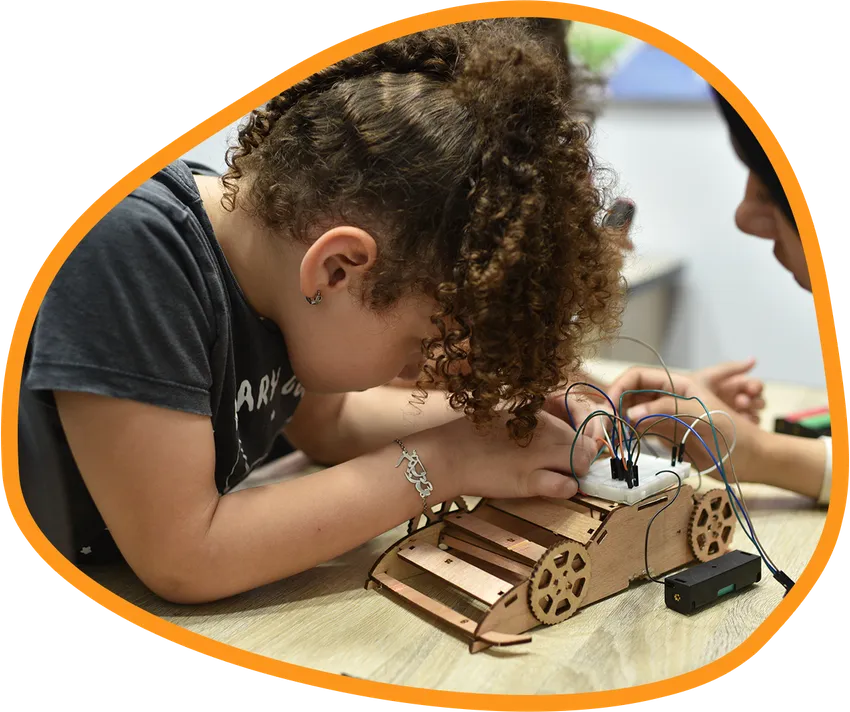
Mechatronics: Robotics Design & Programming
Electronic and mechanical engineering through practical projects students create on their own.
1Step 1: Tinkercad and real projects+
What they learn
- Introduction to mechatronics
- Virtual prototyping using Tinkercad
- Hands-on projects with real components
Sample projects
- Designing and simulating electronic circuits
- Building basic robotic systems
2Step 2: 3D printing and laser cutting+
What they learn
- Introduction to 3D printing
- Creating designs for 3D printing
- Laser cutting techniques and applications
Sample projects
- Designing and printing 3D models
- Custom laser-cut designs
Fees and enrolment
Message us on WhatsApp for current course fees and how to enrol.